How Email Tracking Works
Updated October 3, 2026
Email tracking helps a sender understand when a message may have been opened. Most email trackers use a small remote image, commonly known as a tracking pixel.
What is a tracking pixel?
A tracking pixel is a tiny image with a unique URL. It is included in a tracked email but is not intended to be visible. When the recipient's email application requests the image, the tracking service records an open event.
From the recipient's side, these images are rarely obvious. See how to inspect an email for tracking-pixel clues and why source code can suggest tracking without proving it.
What happens after you send
- A unique tracking image is added to the email.
- The email is delivered normally.
- The recipient opens the message.
- Their email application requests the remote image.
- The request creates an open event.
- Mail Tracer displays the event and sends a notification.
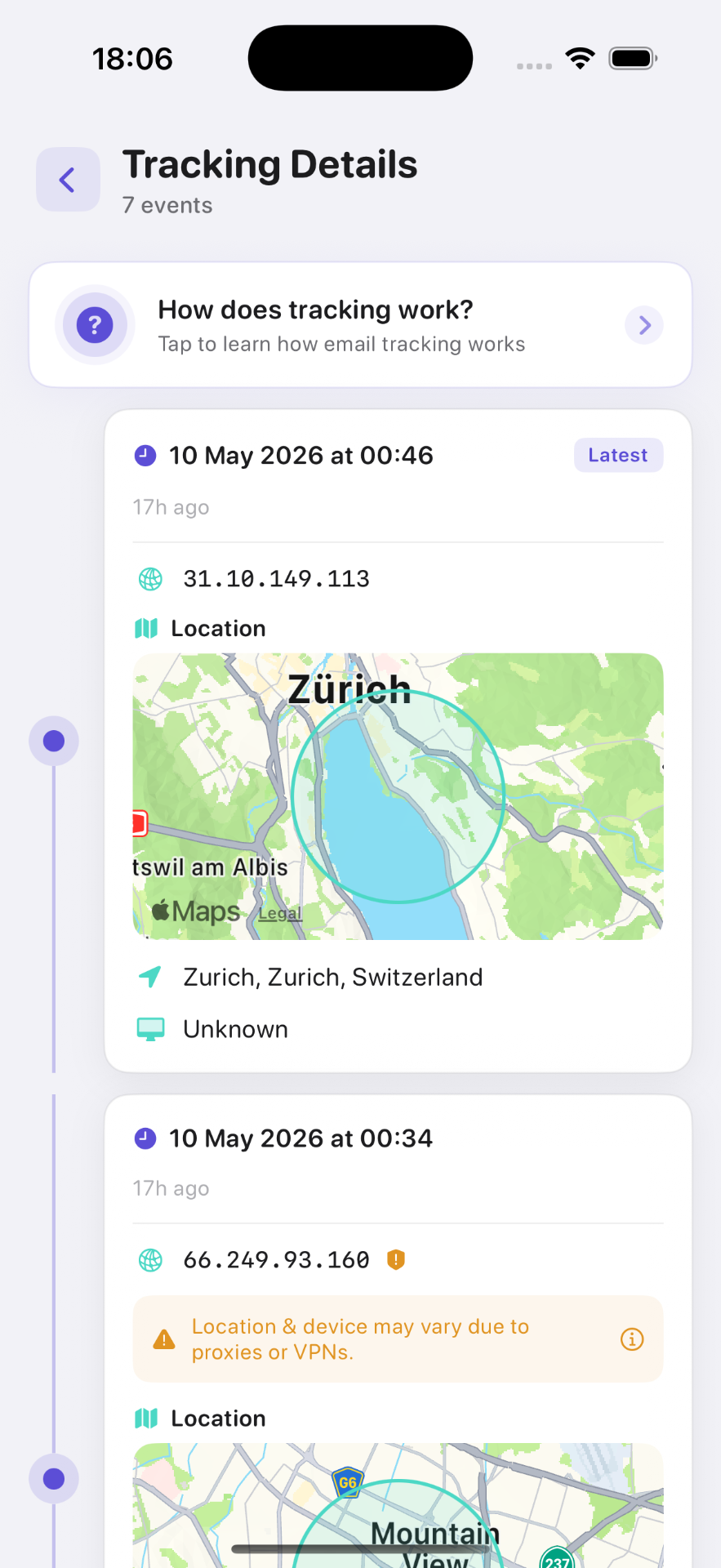
Information an open event may contain
- Date and time
- Number of detected opens
- IP or network information
- Approximate location
- Device or email-client information
What email tracking cannot prove
An open event cannot prove that a person read, understood or acted on a message. Images may be loaded automatically by privacy services or security scanners. Conversely, a genuine open may not be detected when remote images are blocked. See why security scanners trigger alertsand how an open alert differs from a read receipt.
Why location is approximate
Location is inferred from network information. VPNs, mobile networks, corporate gateways and privacy proxies can make the location inaccurate or show the location of an intermediary server.
Email tracking and Apple Mail Privacy Protection
Apple Mail Privacy Protection may preload remote images through Apple-operated proxy servers. This can hide network details or create an open that does not correspond directly to the recipient viewing the message.
Frequently asked questions

Add tracking to your email in minutes
Mail Tracer is free to download. Get read notifications on your iPhone and iPad.
Related guides
- GuideSend Later and Email TrackingTest Apple Mail Send Later and email tracking on iPhone. Compare scheduled sends with image requests, check Mail Tracer and plan invoice or job follow-ups.
- GuideEmail Tracker TroubleshootingTroubleshoot an iPhone email tracker step by step. Check the sending app, account, notifications, image loading and privacy-related false signals.
- GuideWhy an Email Shows Multiple OpensLearn why one email can show several opens, how previews, scanners and privacy tools affect the count, and what to do before following up on iPhone.