Track Gmail Emails on iPhone
Updated October 21, 2026
Track Gmail email opens on iPhone by setting up your Gmail account in Apple Mail and testing Mail Tracer’s supported sending process. An open is a tracking-image request, not proof that the recipient read the message; privacy protection and image blocking affect the signal.
Switching between personal and business addresses? Use our multiple-account tracking checklist to check the From address, test replies and repeat the supported sending process on iPad before using another account for important email.
How Gmail tracking works on iPhone
Add your Gmail account to Apple Mail, connect it to Mail Tracer and send tracked messages through Apple Mail. When an open is detected, Mail Tracer records it and sends a notification.
Set up Gmail email tracking
- Open Settings → Apps → Mail → Mail Accounts → Add Account. Enter your address, choose Google when prompted, and complete the supported sign-in.
- Download and open Mail Tracer.
- Follow the current in-app setup instructions for the same Gmail account.
- Send a harmless tracked test through the supported Apple Mail process using the intended From address.
- Review open events inside Mail Tracer.
Apple's account setup guide documents the current Mail settings path. Adding an account to Apple Mail and enabling Mail Tracer tracking are separate steps. For a Google-hosted business address, use the provider's supported sign-in; the custom domain does not mean you should guess IMAP settings. Our custom-domain tracking guide covers mailbox hosting, aliases and sending identity.
Test your Gmail From address and replies
Send a test to an inbox you control. Check the visible sender address there, then reply and confirm the response reaches the account you monitor. Next verify the tracked message in Mail Tracer's history. If your follow-up will be a reply, test that exact tracked reply process separately; the first message does not establish tracking for the whole conversation.
Repeat the check when changing accounts or sending aliases. A missing push alert is different from missing history, and no detected open does not prove that the email was unread. Keep client follow-ups tied to an agreed date rather than a count of image requests.
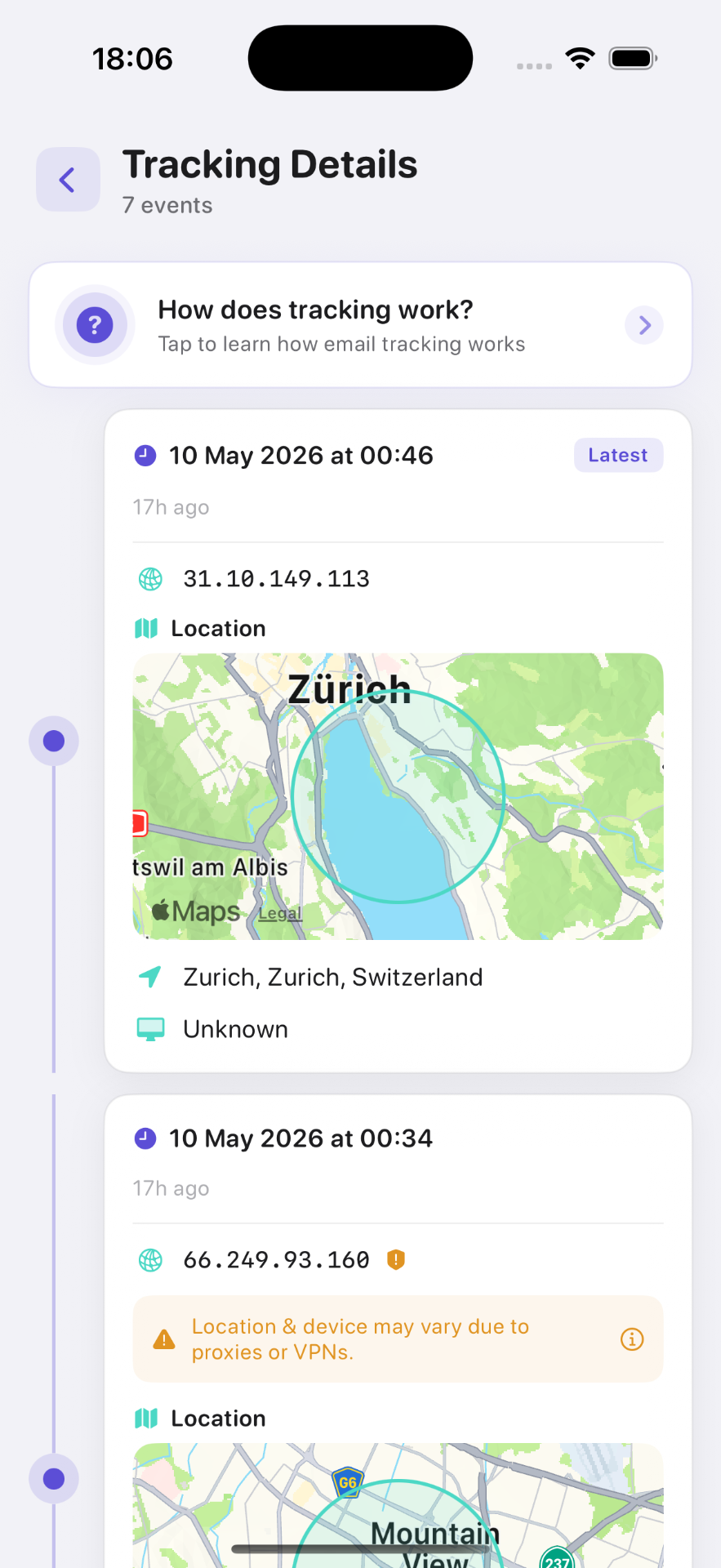
What you can track
- First detected open
- Subsequent opens
- Date and time
- Device or email-client information when available
- Approximate location
- Complete open history
Gmail app compatibility
This guide covers Gmail accounts used through Apple Mail. Mail Tracer is not confirmed to work directly inside Google's Gmail iOS app — the workflow described here is the supported one. Compare the clients in our guide to the Gmail app versus Apple Mail for email tracking.
Gmail tracking limitations
Apple Mail Privacy Protection can prevent reliable open detection, and automatic remote content loading can create signals without human reading. An open event is not proof of reading, attachment access or agreement. See the Mail privacy guide before interpreting a missing or unexpected event.
Gmail may proxy and cache email images. This can reduce the accuracy of location and device information. Recipients who block images may not generate a detectable open.
Looking for Google's own receipt control? Use the missing Gmail read-receipt settings checklist to check account eligibility, administrator policy and the compose interface.
Frequently asked questions

Add tracking to your email in minutes
Mail Tracer is free to download. Get read notifications on your iPhone and iPad.
Related guides
- GuideTracking Multiple AccountsUse email tracking with multiple accounts on iPhone. Choose the Apple Mail From address, test Mail Tracer, verify replies and check iPad sending separately.
- GuideCustom Domain Email TrackingSet up custom domain email tracking on iPhone with Apple Mail. Keep your business address, test replies and open alerts, and understand privacy limits.
- GuideMissing Gmail Read Receipt SettingsFind out why Gmail read receipt settings are missing, which Workspace accounts may qualify, and what iPhone users can do when the option is unavailable.
- GuideEmail Tracker for iPhoneUse an email tracker for iPhone and iPad with Apple Mail. Compare account fit, test open alerts, and understand privacy limits before your first tracked email.