Email Tracker for iPhone and iPad
Updated October 22, 2026
Mail Tracer is an email tracker for iPhone and iPad that works with accounts configured in Apple Mail. It records pixel-based open signals and sends alerts; privacy protection and image blocking affect those signals, so an alert is not proof that someone read your message.
Coordinating a client call? Use our client meeting confirmation guide for iPhone to agree on the time zone, agenda and joining details. Test your sending and reply method, and ask for a clear response; an email open does not accept a meeting invitation.
Keeping an AOL address on your phone? Our AOL Mail tracking guide for iPhone and iPad covers secure provider sign-in, app-password eligibility and a controlled test of sends and replies. Mailbox sync alone does not establish tracking compatibility.
Sending a business proposal? Compare email open tracking with PDF and hosted document tracking before choosing a delivery format. Test file access separately; an email image request does not establish a proposal view or approval.
If an event appears in history but the alert is late or missing, use our delayed open-notification checklist to test phone alerts, Focus and watch routing separately from Apple Mail sync.
Delivering completed client work? Use the project handoff email checklist for iPhone to test files and replies, name a feedback owner and get explicit acceptance of the right version. An email open cannot confirm that the client reviewed or approved your deliverables.
Pitching a journalist from your phone? Our PR pitch tracking and follow-up guide covers sender and reply tests, interview assets and editorial deadlines. An open signal cannot establish interest, coverage or acceptance of an embargo.
Sourcing candidates before an application or interview? Our recruiter candidate outreach guide for iPhone covers tested work-account sends, original role introductions and useful follow-ups. Keep direct replies and CV-sharing permission separate from image-request signals.
If Apple Mail brings an unanswered message back to your inbox, our Follow Up versus email tracking guideexplains how reminders differ from open alerts, with a tested sending workflow and a practical follow-up example.
Switching between personal and business addresses? Use our multiple-account tracking checklist to check the From address, test replies and repeat the supported sending process on iPad before using another account for important email.
If an important message has no open alert, first separate sending from tracking. The not delivered versus not opened checklist explains Apple Mail's Outbox, returned errors and a harmless test before an invoice or application follow-up. A missing image request is not a delivery report.
Track email opens from your iPhone
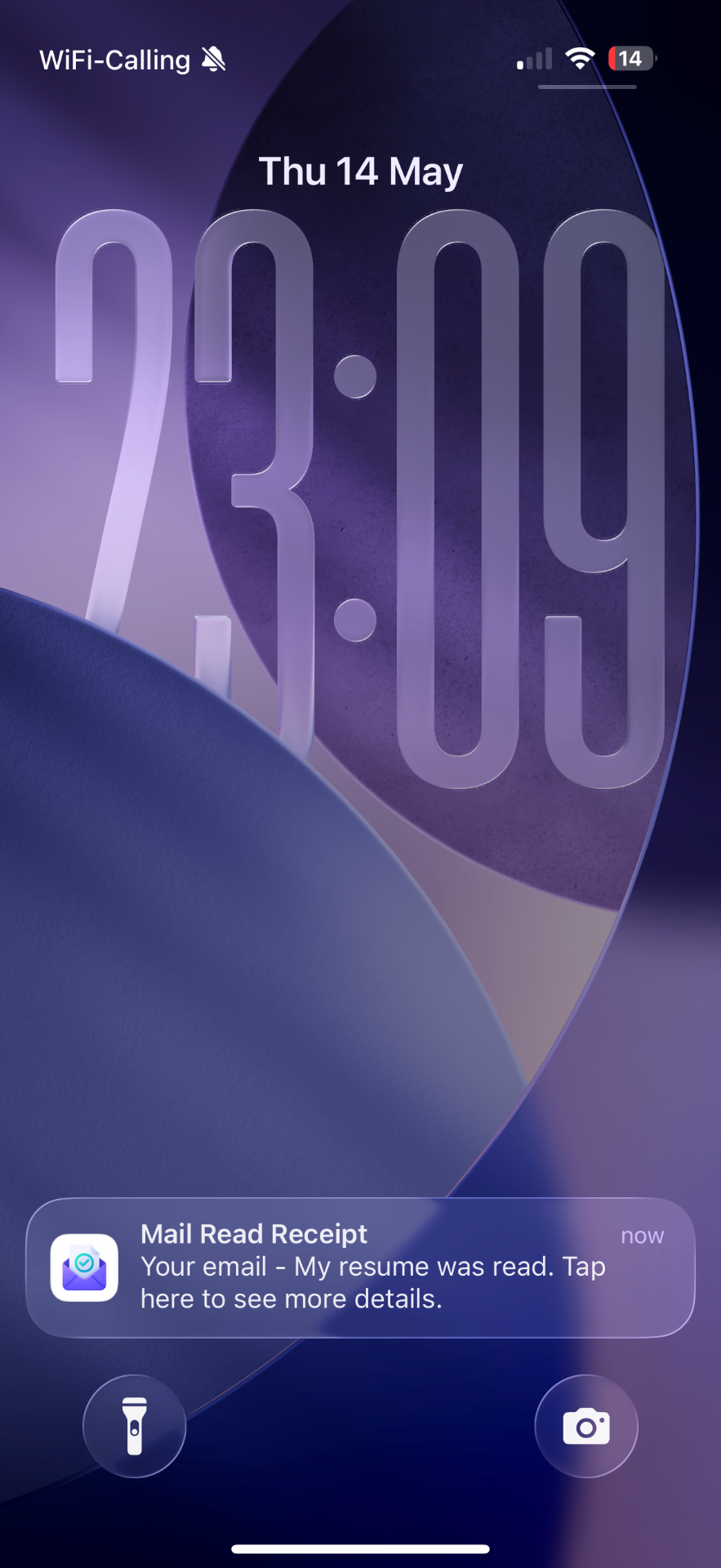
Mail Tracer works with Apple Mail to add tracking to outgoing messages. When a recipient opens a tracked email and loads its remote images, Mail Tracer records the event and sends you a notification.
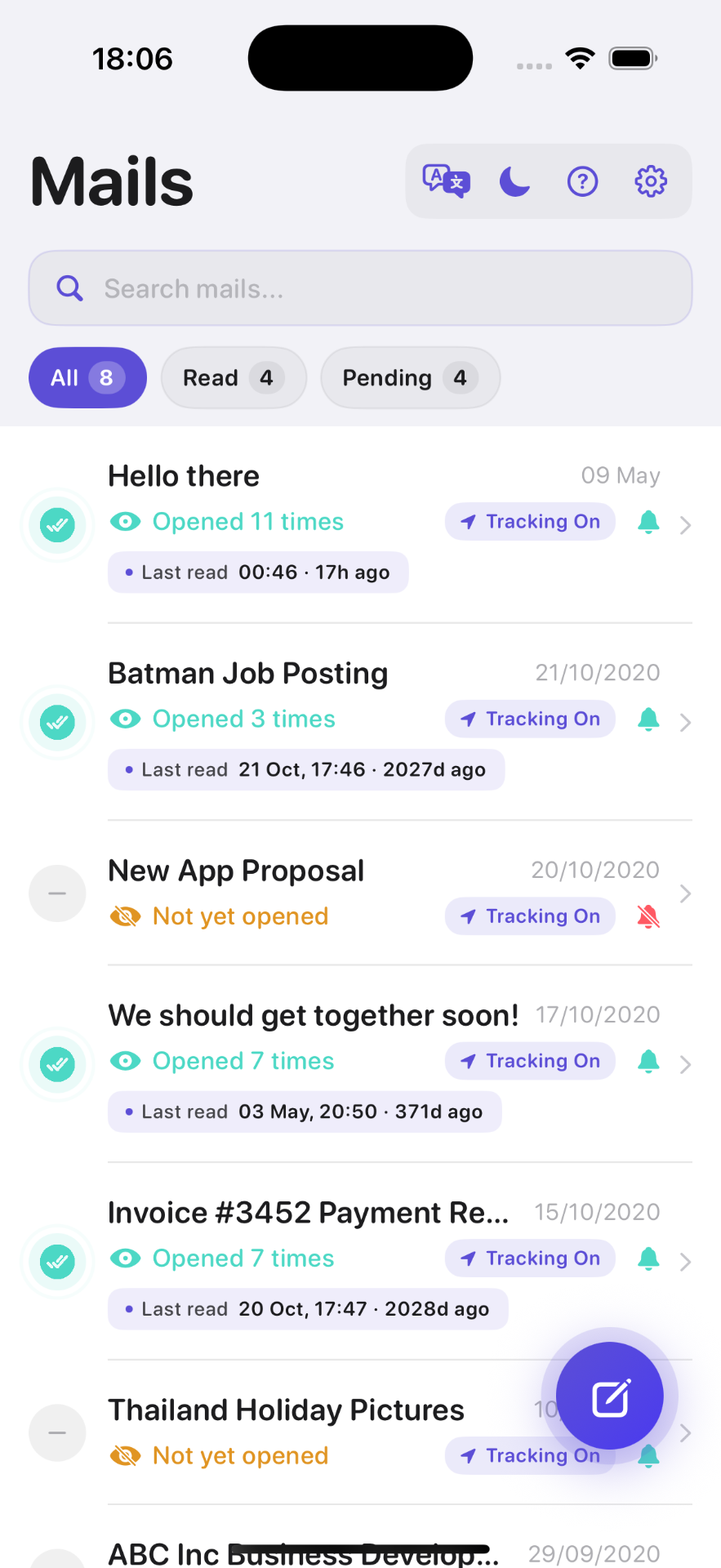
How to track an email on iPhone
- Download Mail Tracer from the App Store.
- Set up the email account you use with Apple Mail, following Mail Tracer's current instructions.
- Test the supported tracked process with a separate address you control, including a reply if you plan to track replies.
- Send your message through that verified process and review any detected open alert.
- View the message's complete open history in Mail Tracer.
Which mail tracker fits the app you send from?
Choose by sending app as well as email provider. A Gmail or Outlook address configured in Apple Mail can use Mail Tracer's supported workflow, while the separate Gmail and Outlook apps use different integrations and receipt options. A desktop browser extension does not establish that the same message will be tracked when sent from your phone.
- Apple Mail on iPhone or iPad: set up Mail Tracer and verify an outgoing test message before using it for important correspondence.
- Gmail app: review the Gmail app versus Apple Mail comparison before choosing a tracking tool.
- Outlook app: check the account-specific Outlook receipt options; formal receipts and pixel alerts are different signals. Use our Apple Mail versus Outlook tracking comparison to test the sending workflow before switching apps.
- Several possible tools: compare sending app, account fit and free limits in our best iPhone email trackers guide.
What should you check before tracking your first email?
Use another address you control to check that the outgoing message appears in the app's history. Test both a new message and any reply workflow you need; a result for one does not guarantee the other. Check that notifications are permitted at Settings → Notifications → Mail Tracer if the app appears there. An absent push notification and an absent recorded event are separate problems, so inspect the history as well as the alert.
The current App Store listing describes free unlimited tracking and real-time alerts, with Pro features available through in-app purchases. Review the current offer inside the app before subscribing; free download alone does not mean every feature or signature option is free. The free tracking comparison explains what to check.
What Mail Tracer can show you
- When an email was opened
- How many opens were detected
- A chronological open history
- Device and email-client information when available
- Approximate location based on network information
- Instant push notifications
Email accounts supported on iPhone
Mail Tracer can be used with iCloud, Gmail, Outlook.com, Yahoo, AOL, Microsoft Exchange and compatible IMAP accounts configured through Apple Mail.
Is a mail tracker the same as an email tracker?
In this context, yes: “mail tracker” is a common shorter name for software that records email open signals. It does not track postal mail or a person's physical location. Mail Tracer works with messages sent through Apple Mail, while the location attached to an event is only a network estimate and may point to a proxy or data centre. See why an email-open location can be wrong.
Important limitations
Email tracking relies on a small remote image. An open may not be detected when a recipient blocks remote images. Privacy services, VPNs and email security scanners can also affect device, location and open information. An open is not proof of reading, delivery to a particular person or agreement to your request.
Apple explains that Mail Privacy Protection prevents reliable observation of opens and hides IP information. Respect the recipient's settings and ask for an explicit reply when confirmation matters. Support teams can use the customer support follow-up workflow to separate an email signal from evidence that a fix worked.
Freelancers can use these signals carefully when planning proposal and invoice follow-ups; our freelancer email tracking guide shows a practical workflow. Job seekers can use the same cautious approach in our guide to application-email open signals.
If you send from a Google address, compare the Gmail app and Apple Mail tracking workflows. The email address can stay the same, but the sending app determines whether you are using Mail Tracer's supported Apple Mail workflow.
What if you send from a Yahoo account?
Yahoo's own service does not provide a read-and-return-receipt feature. If you want to evaluate open tracking while keeping your Yahoo address, use the supported Apple Mail workflow and test secure sign-in, delivery and alerts separately. Our Yahoo Mail read-receipts guide for iPhone gives the account steps and an invoice follow-up example. A mailbox read flag, pixel alert and client acknowledgement describe different events; an open signal cannot prove reading or payment.
Frequently asked questions

Add tracking to your email in minutes
Mail Tracer is free to download. Get read notifications on your iPhone and iPad.
Related guides
- GuideNot Delivered vs Not OpenedCheck email not delivered vs not opened on iPhone. Separate Apple Mail Outbox errors, bounced messages and Mail Tracer alerts before an invoice follow-up.
- GuideTracking Multiple AccountsUse email tracking with multiple accounts on iPhone. Choose the Apple Mail From address, test Mail Tracer, verify replies and check iPad sending separately.
- GuideClient Meeting ConfirmationsSend a client meeting confirmation email on iPhone with Apple Mail. Test Mail Tracer, clarify time zones and access, and separate open alerts from an RSVP.
- GuideAOL Mail Read ReceiptsSet up AOL Mail read receipts on iPhone with Apple Mail tracking. Check secure sign-in, test Mail Tracer on iPad and follow up without treating opens as proof.
- GuideFollow Up vs Email TrackingCompare Apple Mail Follow Up vs email tracking on iPhone. Set useful reminders, test Mail Tracer and separate open alerts from replies before following up.
- GuideRecruiter Candidate OutreachUse recruiter email tracking on iPhone with Apple Mail. Test accounts and replies, write candidate outreach and follow up without treating opens as interest.
- GuidePR Pitch Follow-UpsUse PR pitch email tracking on iPhone with Apple Mail. Test sender identity, assets and replies, follow up around deadlines and separate opens from interest.
- GuideProject Handoff EmailsSend a project handoff email from iPhone with Apple Mail tracking. Test files and replies, request clear client feedback and separate opens from acceptance.
- GuideProposal Email vs Document TrackingCompare proposal email tracking vs document tracking on iPhone. Test Apple Mail, PDFs and hosted links, choose access controls and separate opens from approval.
- GuideDelayed Email Open NotificationsFix delayed email open notifications on iPhone with controlled Mail Tracer tests. Check alerts, Focus and Apple Watch, and separate open events from Mail sync.
- GuideApple Mail vs Outlook TrackingCompare Apple Mail vs Outlook email tracking on iPhone. Test Mail Tracer open alerts or account-dependent receipts, keep your address and follow up responsibly.
- GuideYahoo Mail Read ReceiptsLearn how Yahoo Mail read receipts work on iPhone: use Apple Mail tracking, check secure sign-in, test alerts and follow up without treating opens as proof.
- GuideEmail Read ReceiptsLearn how email read receipts work in Apple Mail, Gmail and Outlook, what a tracking pixel can show, and why a receipt is not proof of reading.
- GuideApple Mail Read ReceiptsApple Mail has no universal read-receipt button. Compare iPhone and Mac options, tracking pixels, privacy limits and reliable ways to confirm delivery.